Dense, generic screens
Long tables with many columns, a dark footer and stock ServiceNow layouts made simple tasks feel heavy.

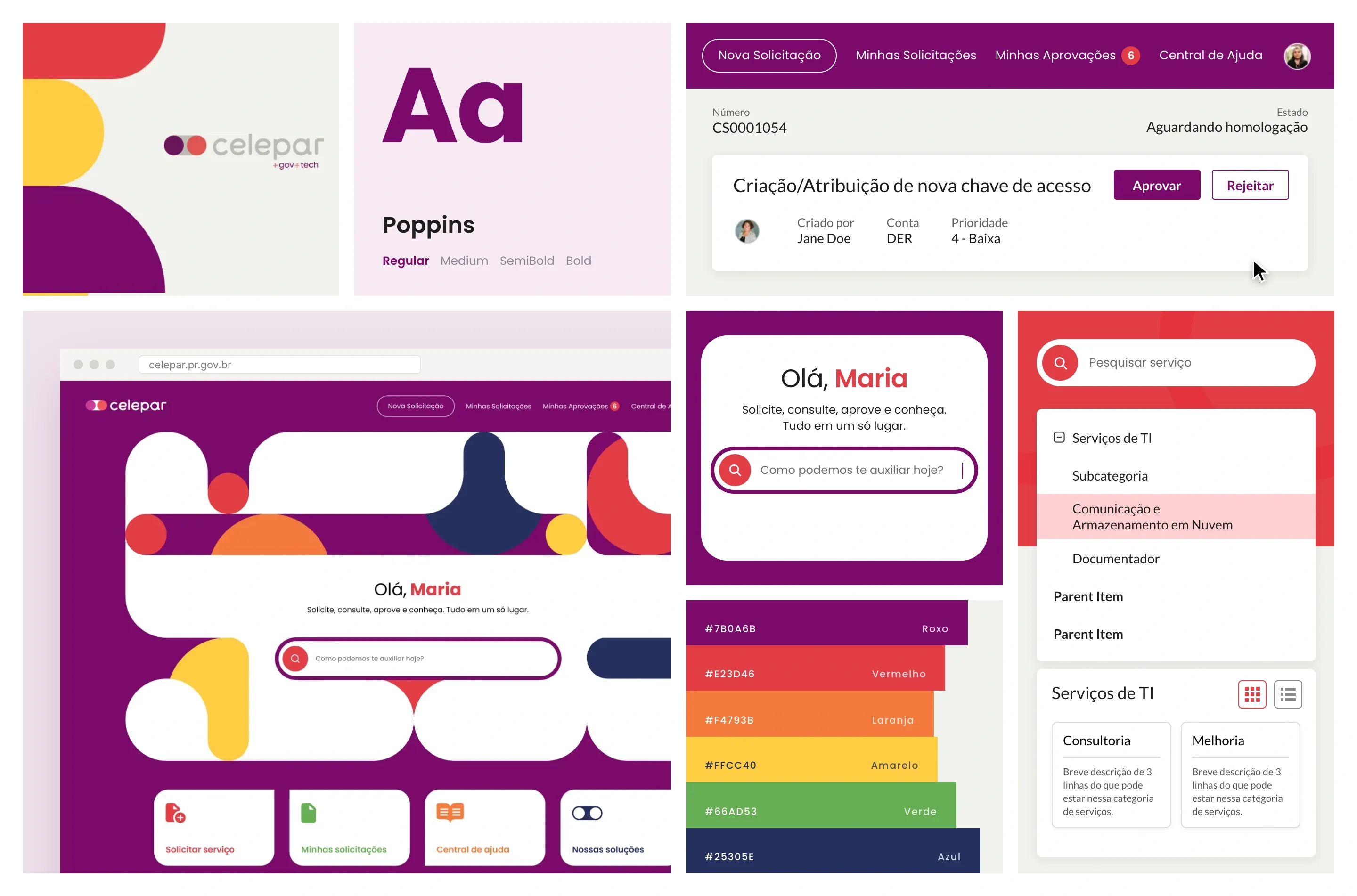
A ServiceNow portal for the clients of Celepar, Paraná’s state IT company, where public agencies open new requests, approve what is pending and find answers in the help center.
The challenge
Celepar’s clients are public agencies. The old CSM portal worked, but it looked and read like an internal tool, with menus and tables built for staff.
Long tables with many columns, a dark footer and stock ServiceNow layouts made simple tasks feel heavy.
Requesters, contract managers and Celepar’s technical team each touch a request at a different point.
Requests waiting on homologation needed a clear place for clients to review and approve them.
The process
From entering the portal to triage, technical work, resolution and homologation, with the personas at each step.
Reviewed the existing CSM screens: home, catalog, request tracking, knowledge base, profile and notifications.
Header variants, cards and navigation built once in Figma and reused across every page.
A clickable prototype from login to home, catalog, request forms, my requests and the help center.
The solution
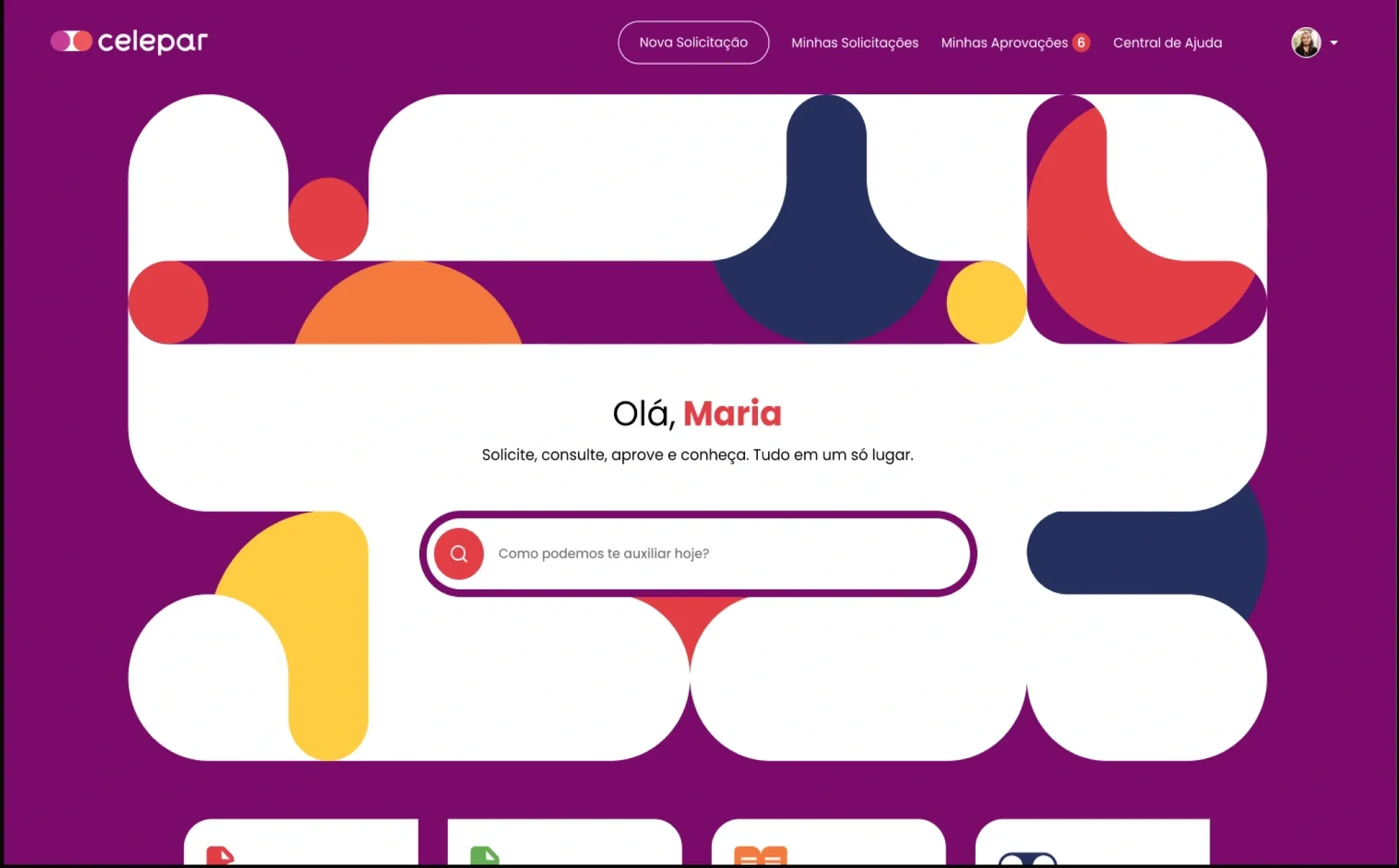
Each old screen was redesigned around one question: what does the client need to do here? Before and after, page by page.
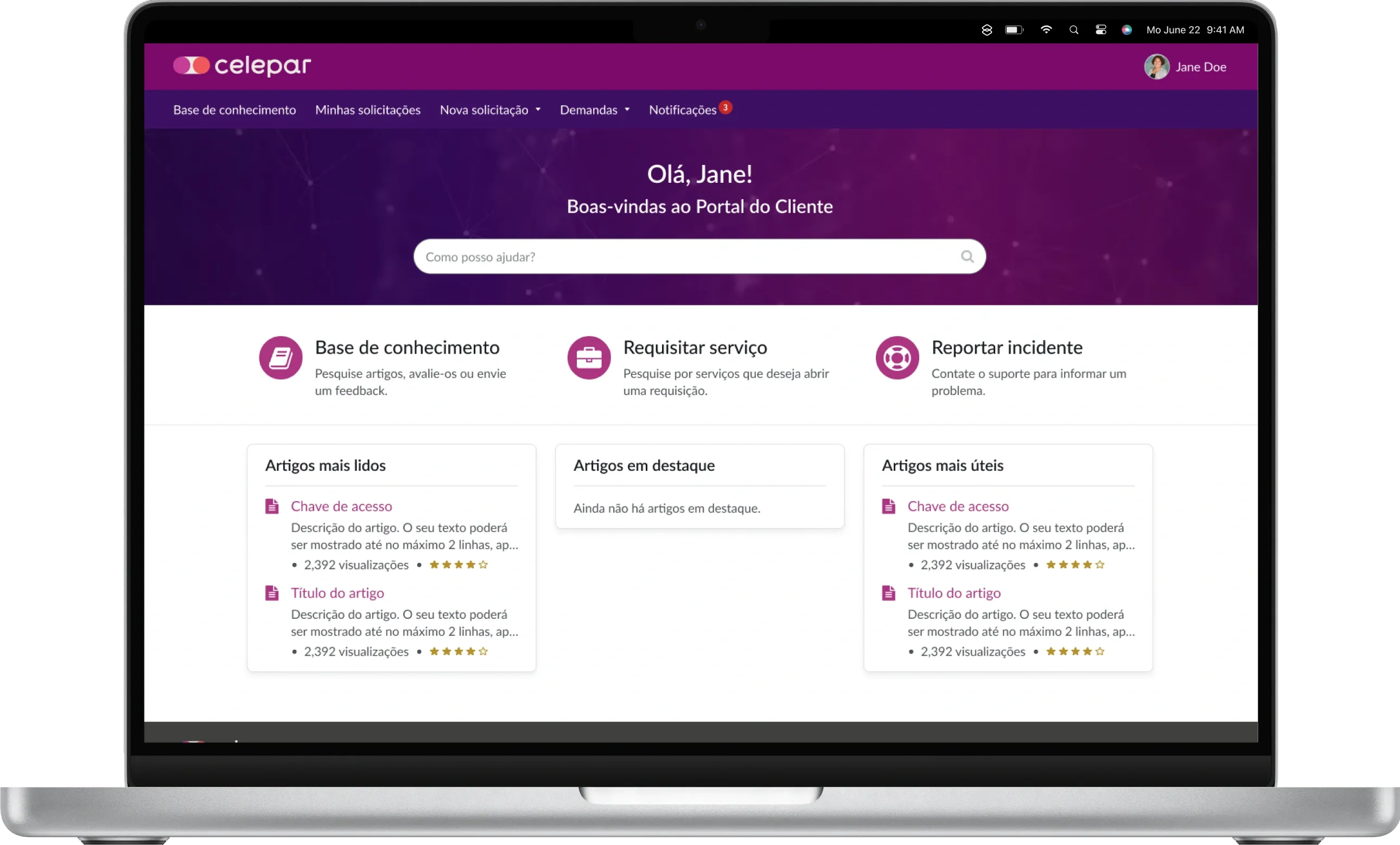
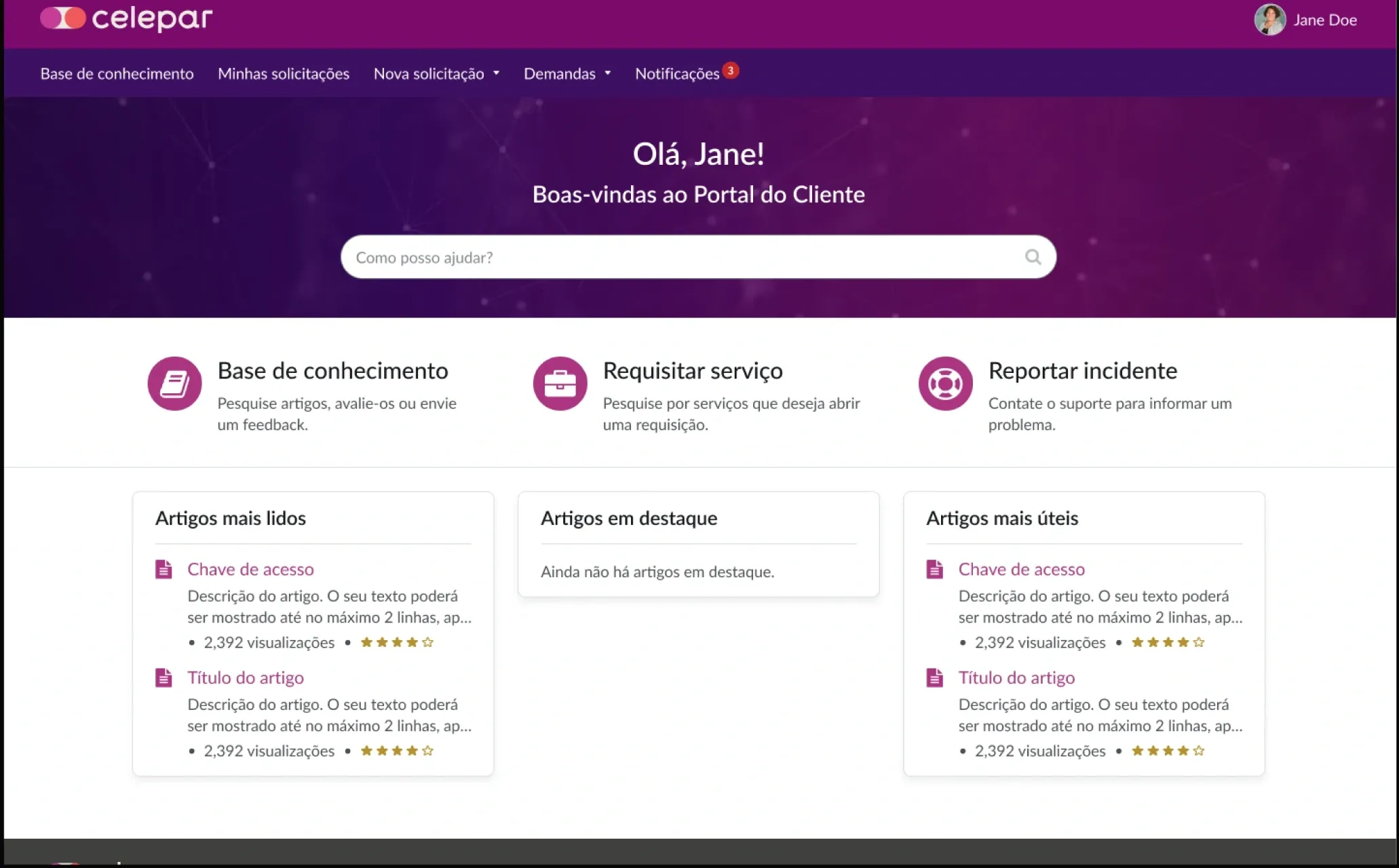
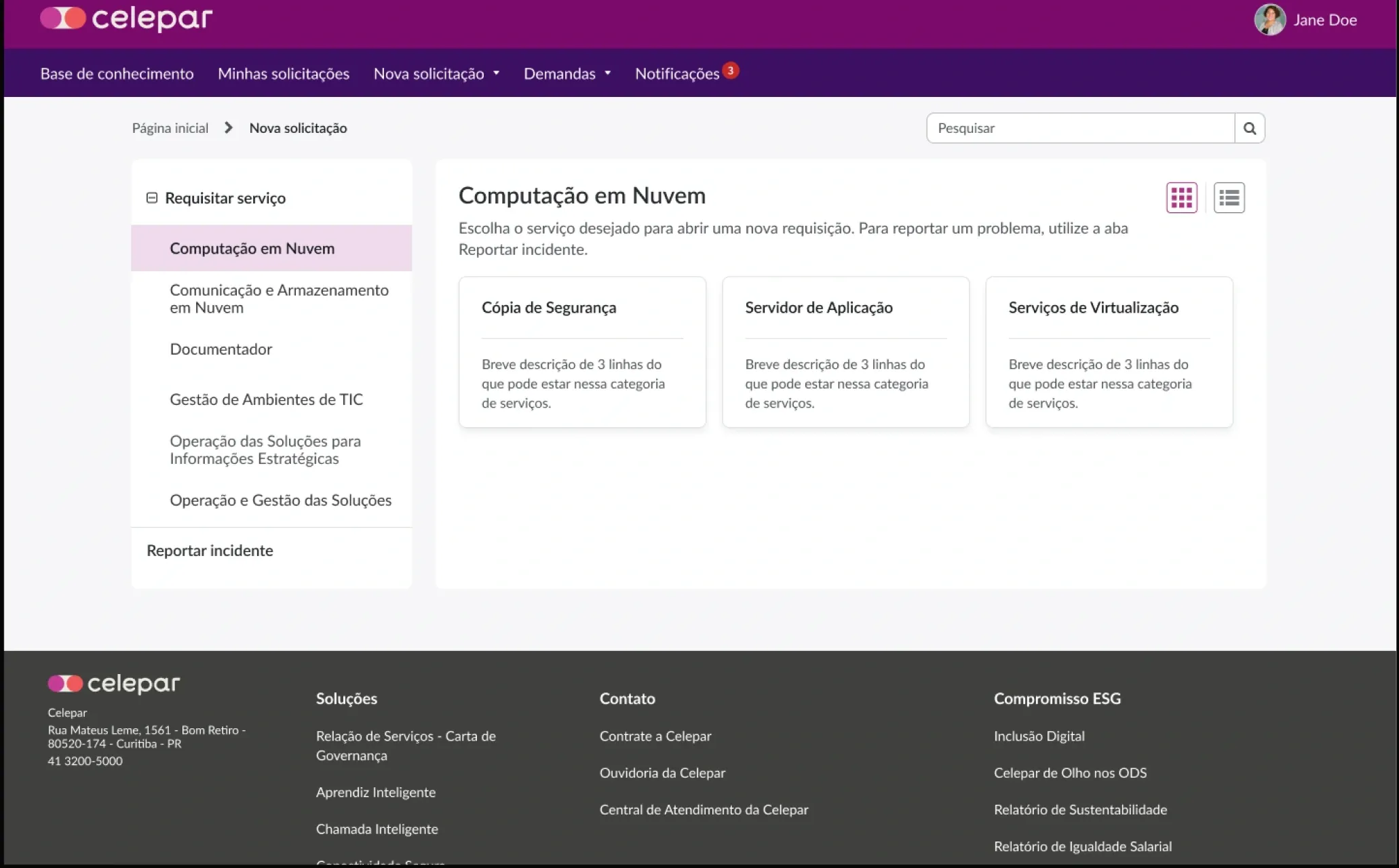
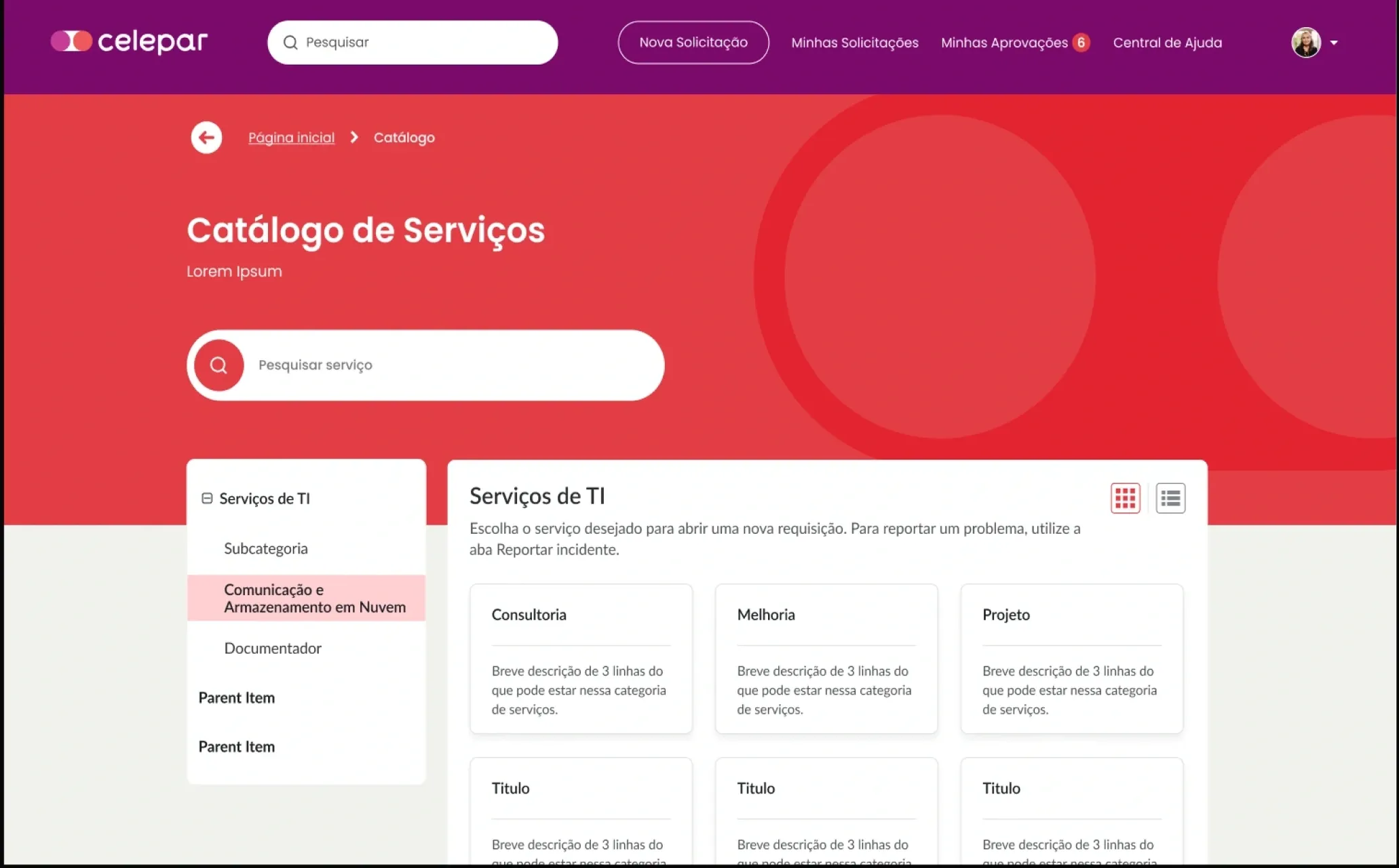
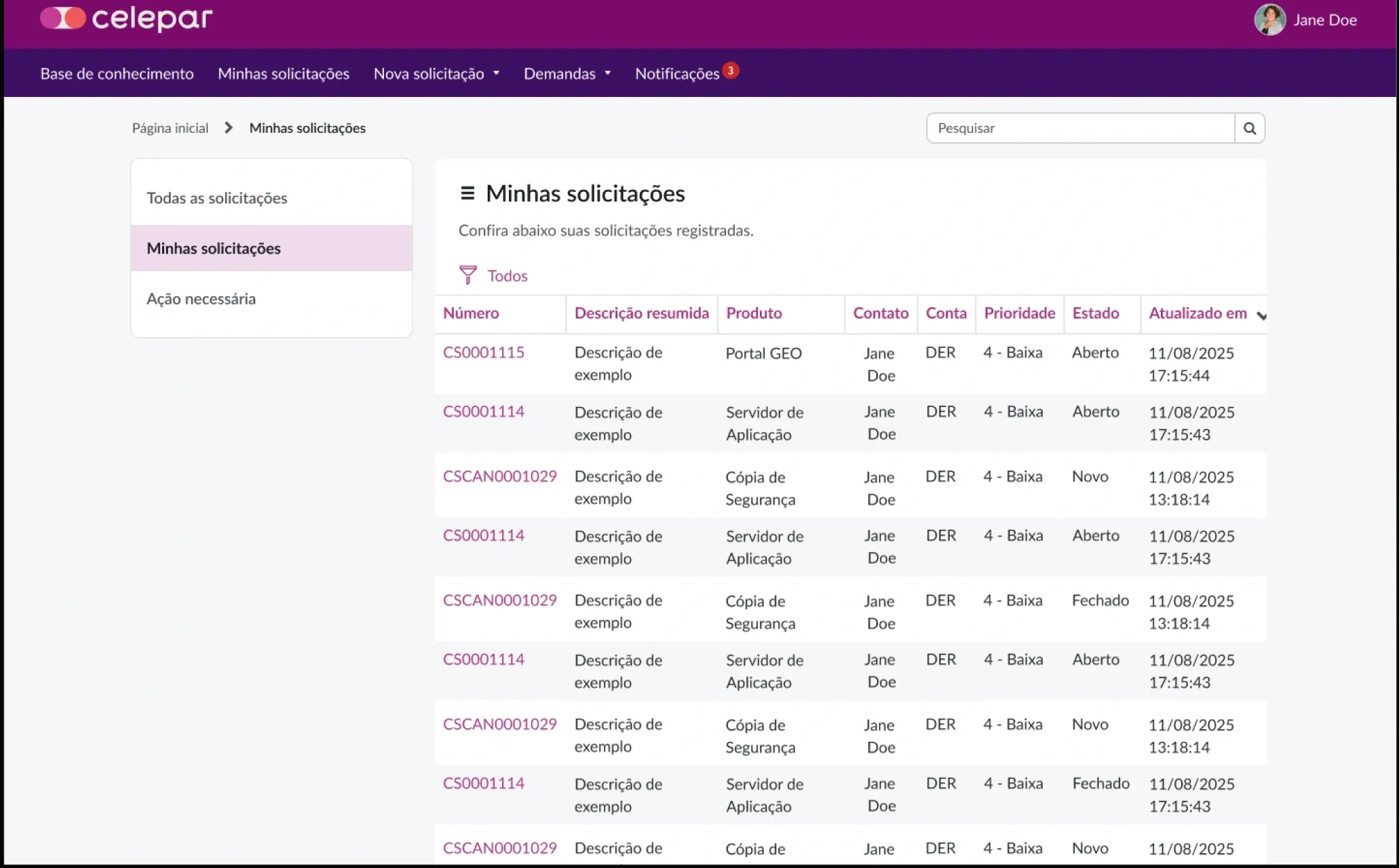
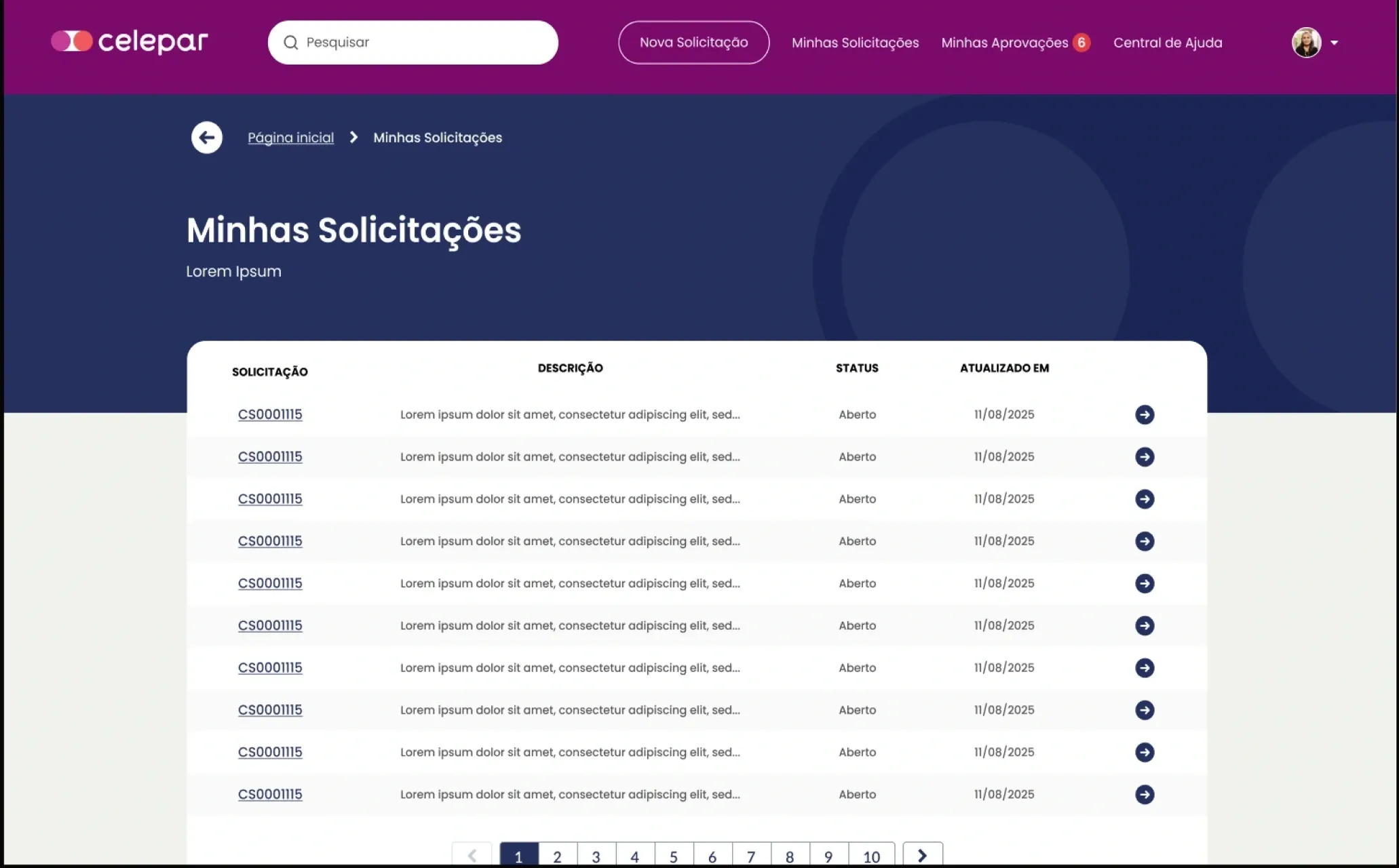
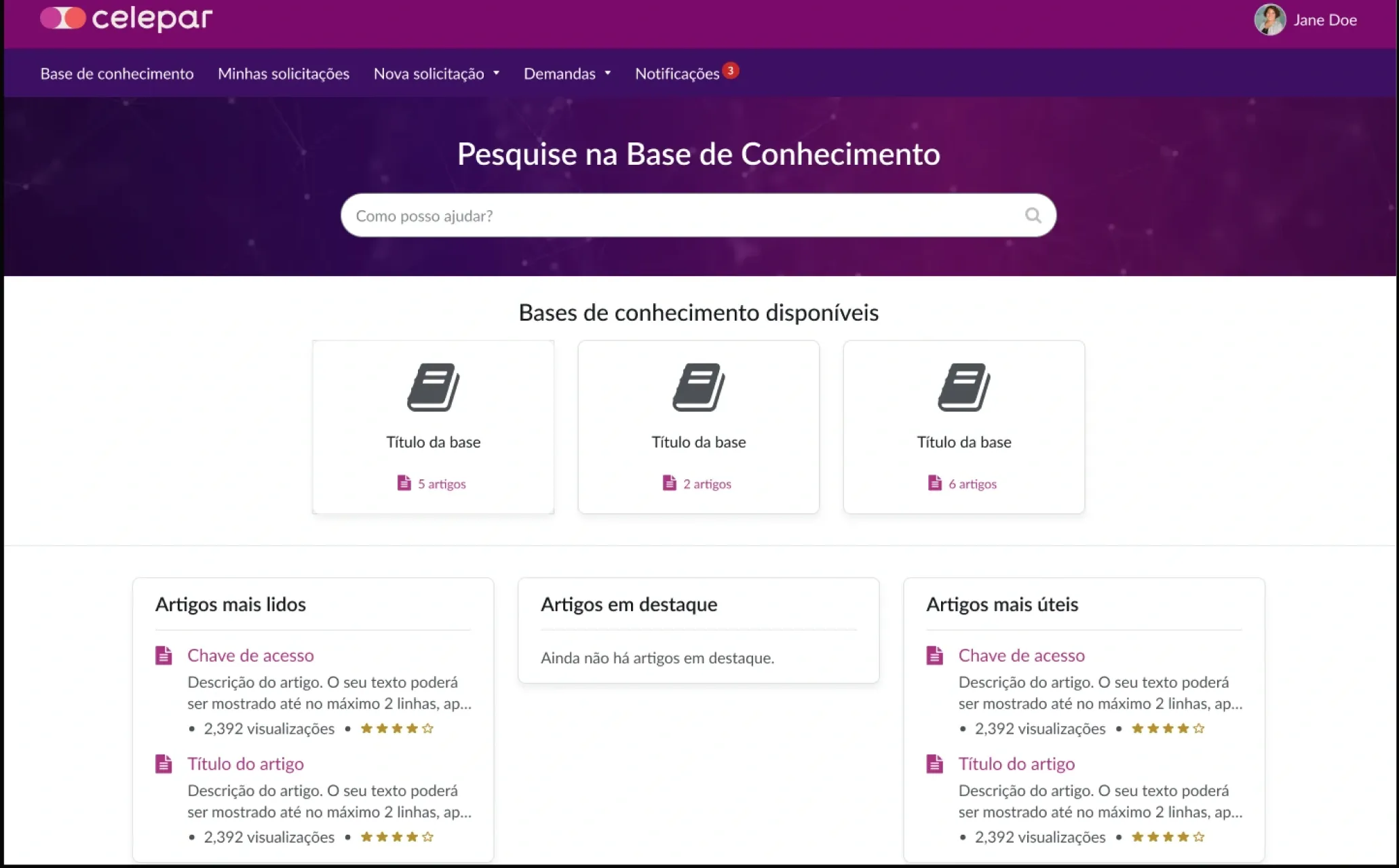
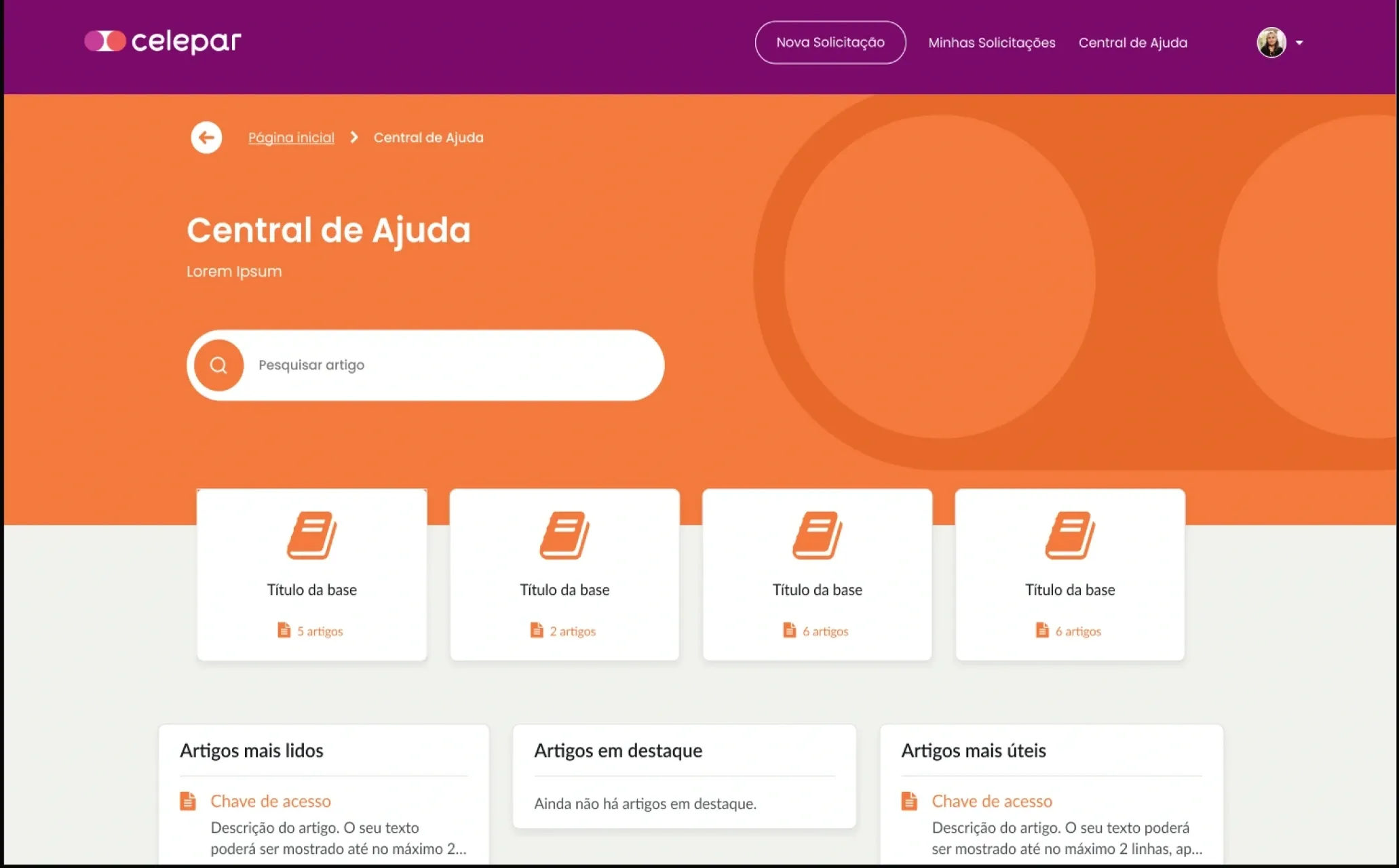
01 / 08Before — home
The outcome
The new home opens with request a service, my requests, help center and approvals, plus the latest requests.
A My Approvals link with a counter, and request pages with approve and reject actions.
My requests shows only number, description, status and last update, with pagination.